

Email Design & Message Editors
Emalc provides two specialized editors to craft email messages tailored to your workflow: a distraction-free Plain Text / Rich Text Editor and a Custom HTML Code Editor.
Choose your preferred editor card in the campaign drawer to launch full-screen composition mode:
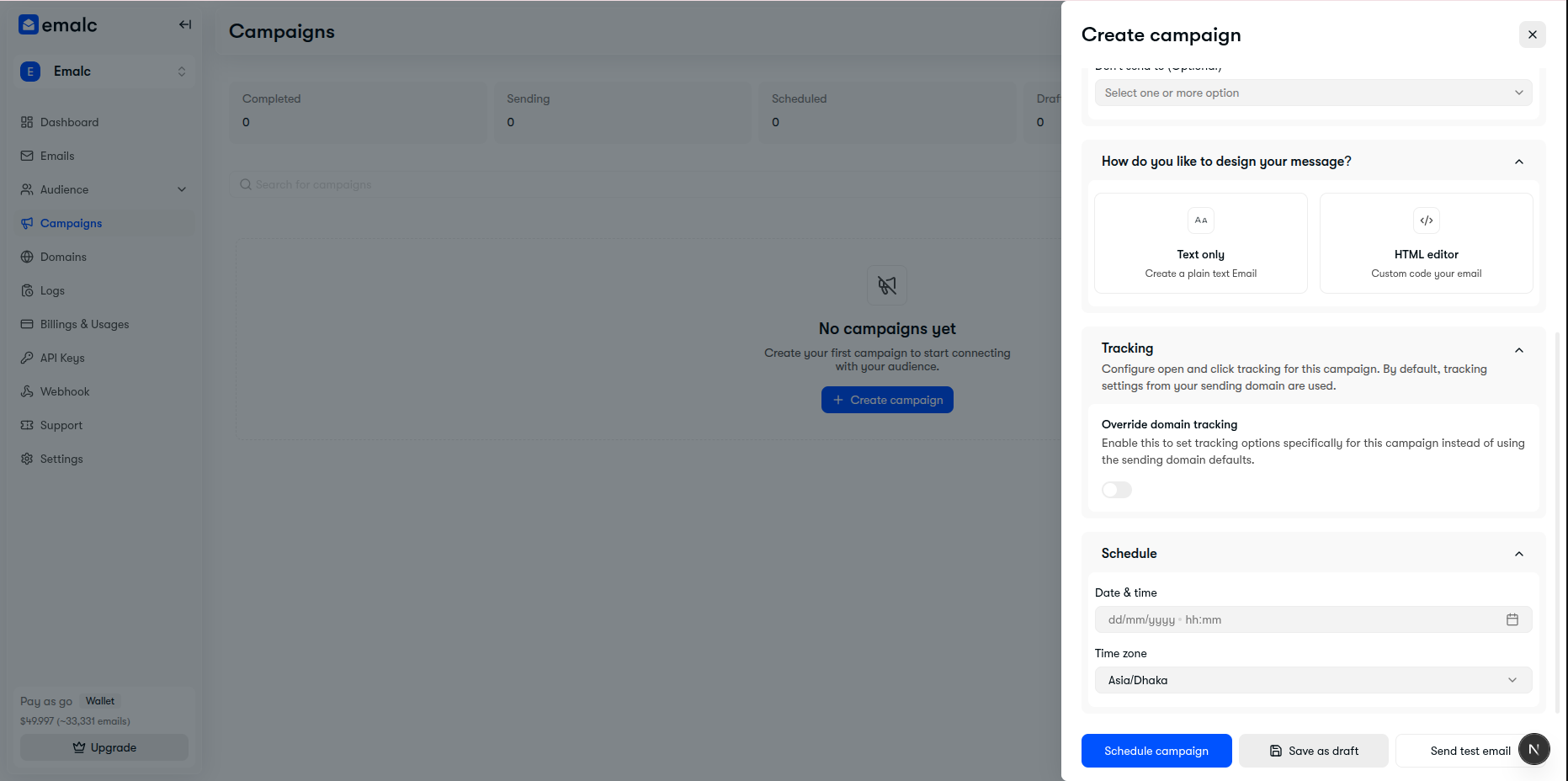 Message design selection: Text only vs HTML editor
Option A: Plain Text & Rich Text Editor#
Ideal for newsletters, personal outreach, and clean announcements. The Plain Text editor pairs a distraction-free writing surface with essential formatting tools:
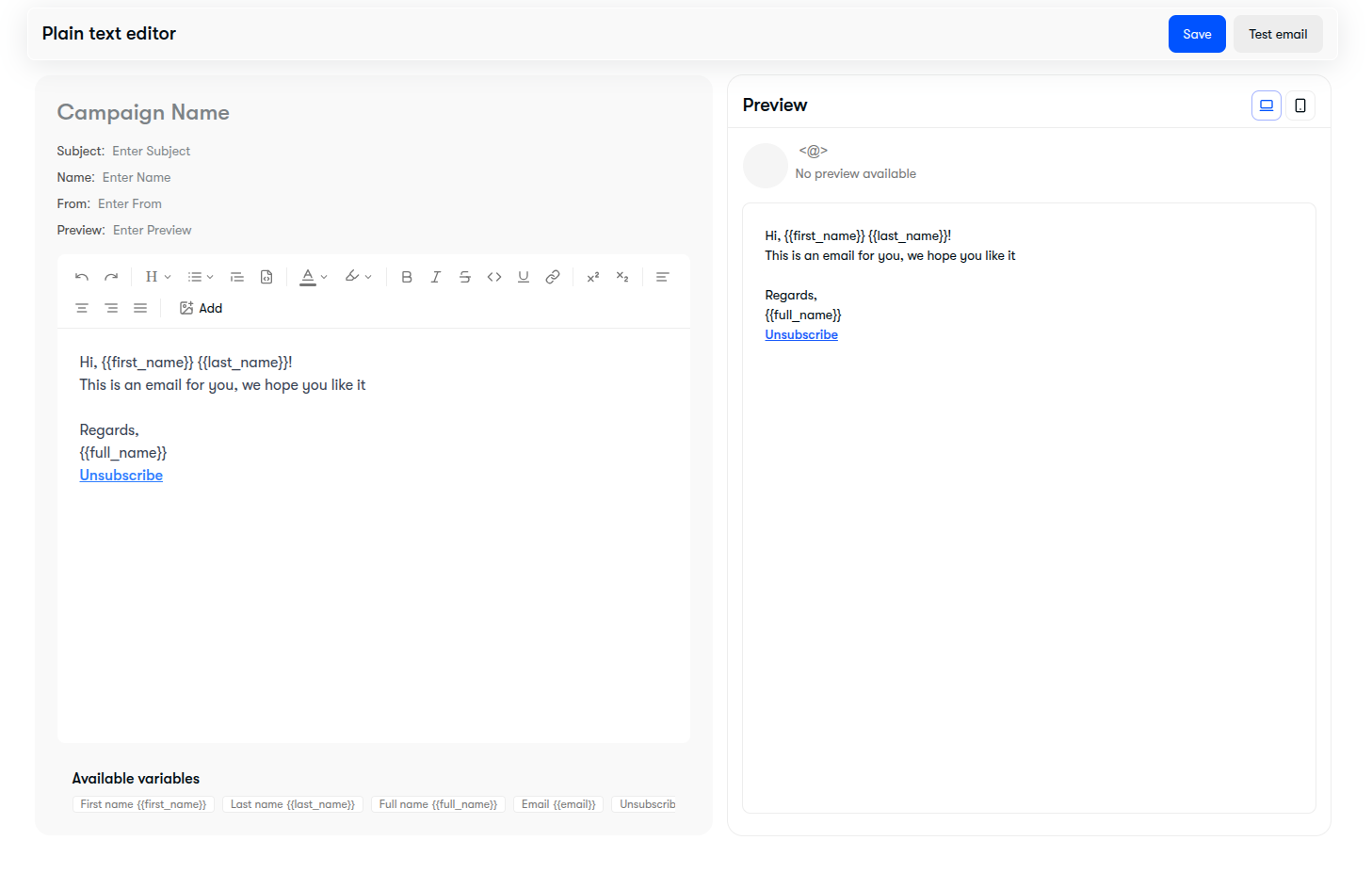 Plain text editor showing metadata header, formatting toolbar, variables footer, and live preview
Formatting Toolbar#
- Typography: Headings (H1, H2, H3), Paragraphs, Font weights, Text alignment (left, center, right).
- Styling: Bold, Italic, Strikethrough, Underline, Text color, Highlight color, Inline code.
- Rich Elements: Numbered lists, Bullet lists, Blockquotes, Hyperlinks, Images, and Horizontal dividers.
Dynamic Personalization (Merge Variables)#
Personalize your messaging by inserting merge variables. Click any tag in the Available variables bar at the bottom or type them directly into your copy:
| Merge Variable | Output | Example |
|---|---|---|
{{first_name}} | Recipient's first name | Alex |
{{last_name}} | Recipient's last name | Johnson |
{{full_name}} | Recipient's full name | Alex Johnson |
{{email}} | Recipient's email address | alex@example.com |
{{unsubscribe_url}} | Compliant 1-click unsubscribe link | https://emalc.com/unsubscribe/... |
Unsubscribe Compliance
Anti-spam laws (CAN-SPAM, GDPR) require an accessible unsubscribe link in marketing broadcasts. Emalc automatically injects a verified unsubscribe link if one is not manually specified.
Option B: Custom HTML Code Editor#
For custom-coded newsletters, modular responsive templates, and bespoke branded designs, switch to the HTML editor:
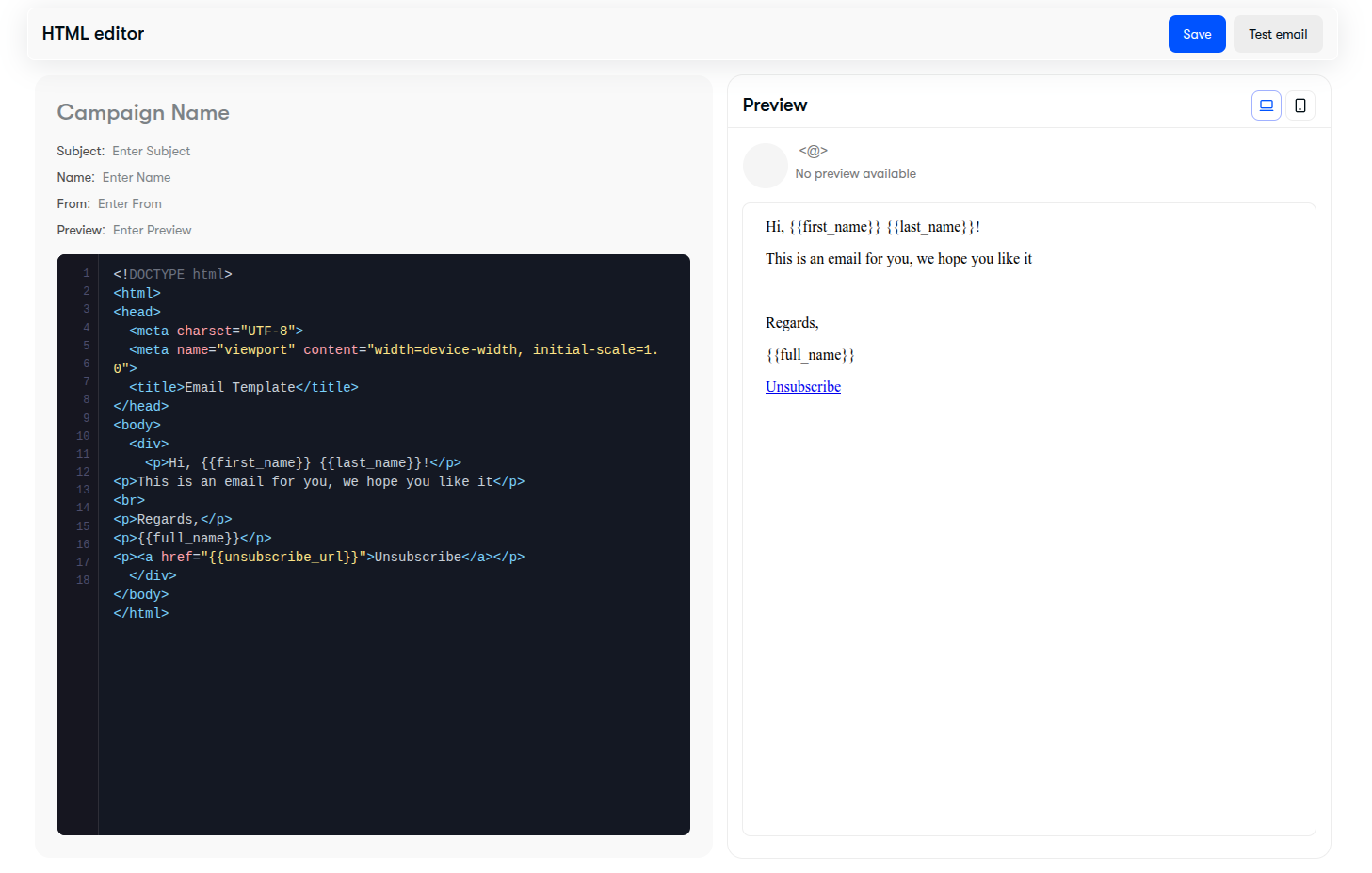 HTML code editor showing syntax-highlighted code on the left and live responsive preview on the right
Key Features:#
- Syntax Highlighting: Dark-mode code editor with tag pairing, line numbering, and indent guides.
- Full HTML & Inline CSS: Support for table-based email layouts, media queries, and responsive email frameworks.
- Merge Variable Support: All merge tags (e.g.
{{first_name}},{{unsubscribe_url}}) work seamlessly within HTML code andhrefattributes.
Real-Time Desktop & Mobile Preview#
Both editors feature a live side-by-side Preview pane on the right:
- Desktop View: Preview how your message displays on wide laptop and desktop email clients.
- Mobile View: Click the mobile device icon in the preview header to verify that font sizes, image widths, and button tap targets render cleanly on mobile viewports.