

Analytics & Performance Reports
Track your email broadcast performance in real-time, inspect recipient engagement events, manage queued campaigns, and export branded PDF performance reports.
1. Managing Active Campaigns#
The main Campaigns dashboard provides an overview of all broadcasts across your organization:
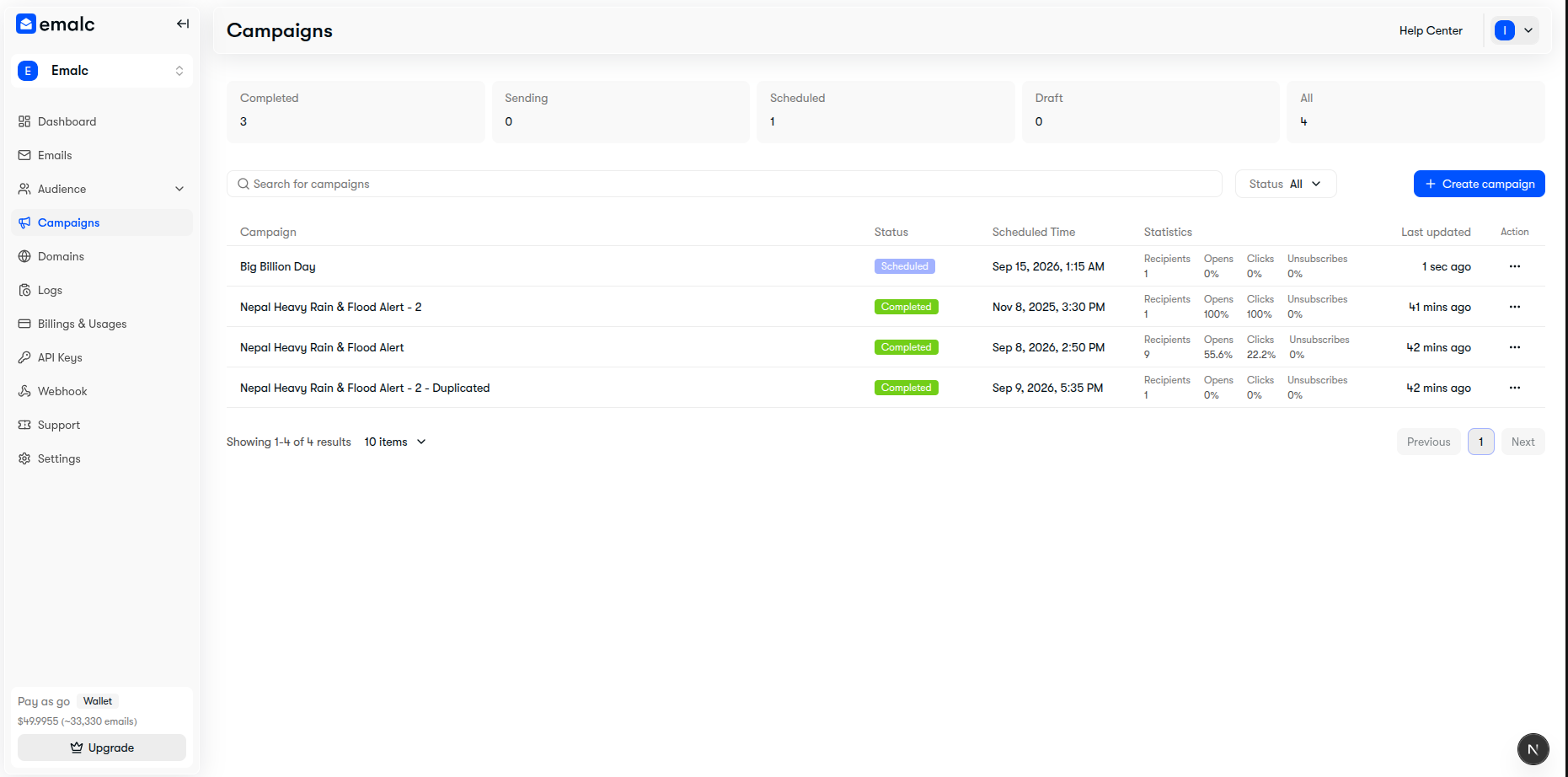 Active campaigns table displaying campaign name, status badges, scheduled time, recipient counts, and open/click statistics
Campaign Lifecycle Statuses#
- Draft — Unfinished or edited campaign undergoing composition.
- Scheduled — Confirmed and queued for dispatch at the specified date/time.
- Sending — Active batch fan-out in progress via AWS SES.
- Completed — All batches delivered with real-time tracking active.
- Failed — Dispatch encountered delivery issues or unverified domains.
2. Pausing & Editing Scheduled Campaigns#
Need to correct a typo or change timing on a scheduled campaign before it sends?
- In the campaigns table, click the three-dots menu ••• on the target row.
- Select Edit Campaign.
- Confirm in the dialog:
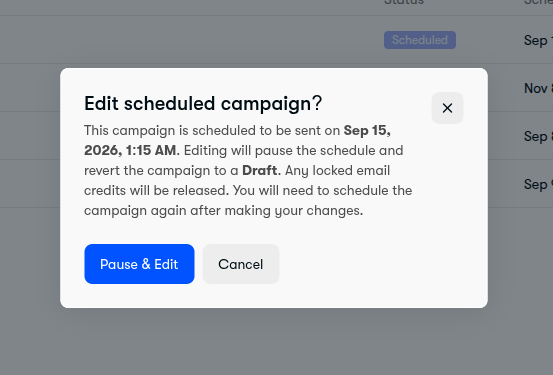 Pause and edit scheduled campaign confirmation modal
Credit Release on Pause
Confirming Pause & Edit safely cancels the automated schedule, returns the broadcast to Draft status, and automatically unlocks all reserved email credits back to your wallet or plan quota.
Additional Row Actions:#
- Duplicate Campaign: Clones audience, sender settings, and design content into a new draft.
- Cancel Campaign: Cancels future delivery and unlocks reserved credits.
- Delete Campaign: Permanently removes campaign history and records.
3. High-Level Metrics & PDF Export#
Click on any completed campaign row to slide open the Campaign Details & Analytics sheet:
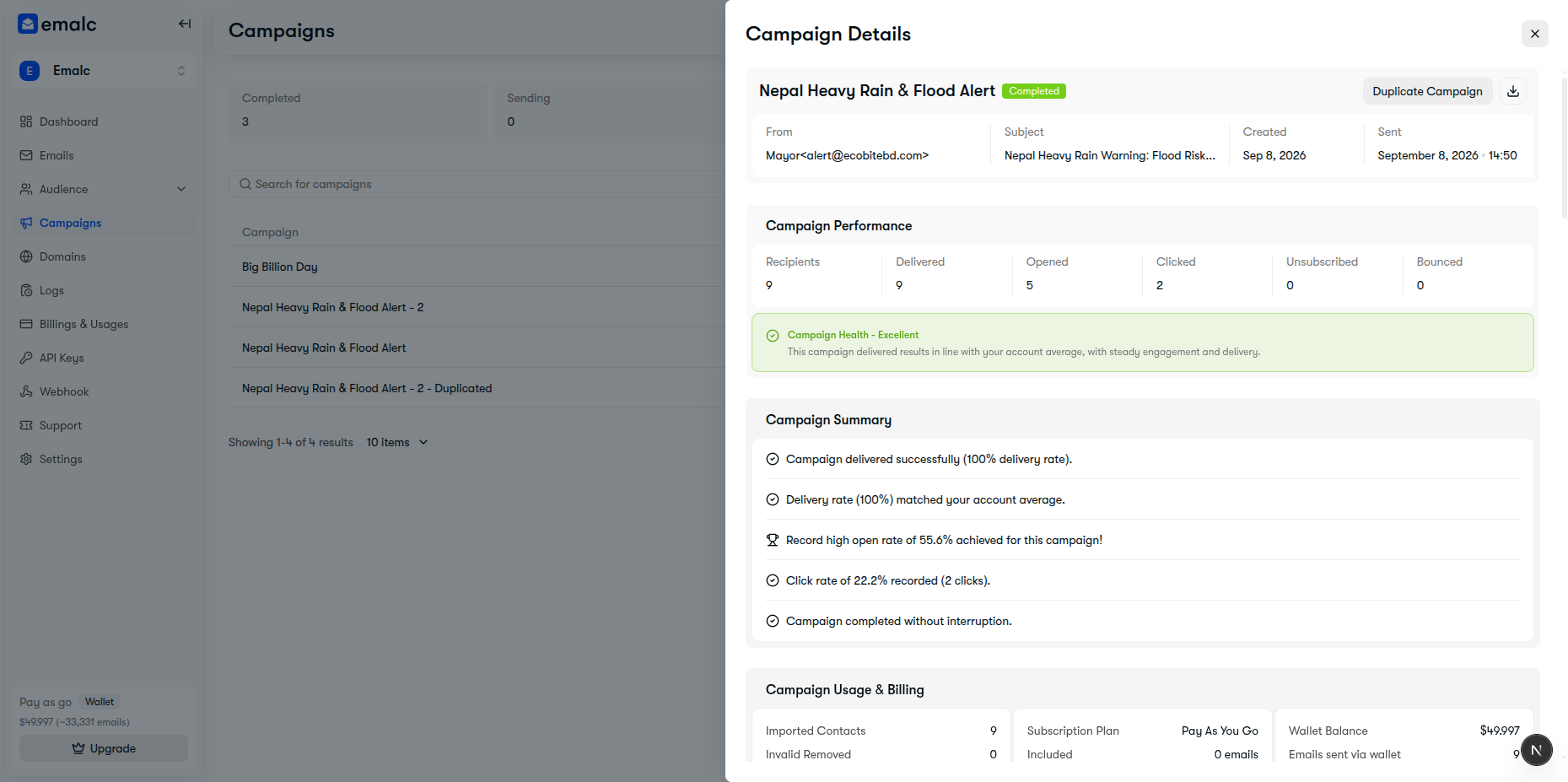 Campaign Details sheet showing performance KPIs, health status, campaign summary, and Download PDF button
Core Performance Indicators:#
- Delivered: Total emails successfully received by mailbox providers (100% delivery target).
- Opened: Unique opens captured via transparent 1x1 tracking pixels.
- Clicked: Unique subscriber interactions on tracked links.
- Unsubscribed: Recipients opting out of future broadcasts (automatically suppressed).
- Bounced: Hard and soft bounce delivery failures.
Export Branded PDF Report#
Click the Download PDF button in the top right header to export a comprehensive, print-ready executive summary PDF report complete with campaign health scores, audience quality, economics, and delivery metrics.
4. Recipient Activity Log#
Scroll down in the details sheet to access subscriber-level delivery telemetry:
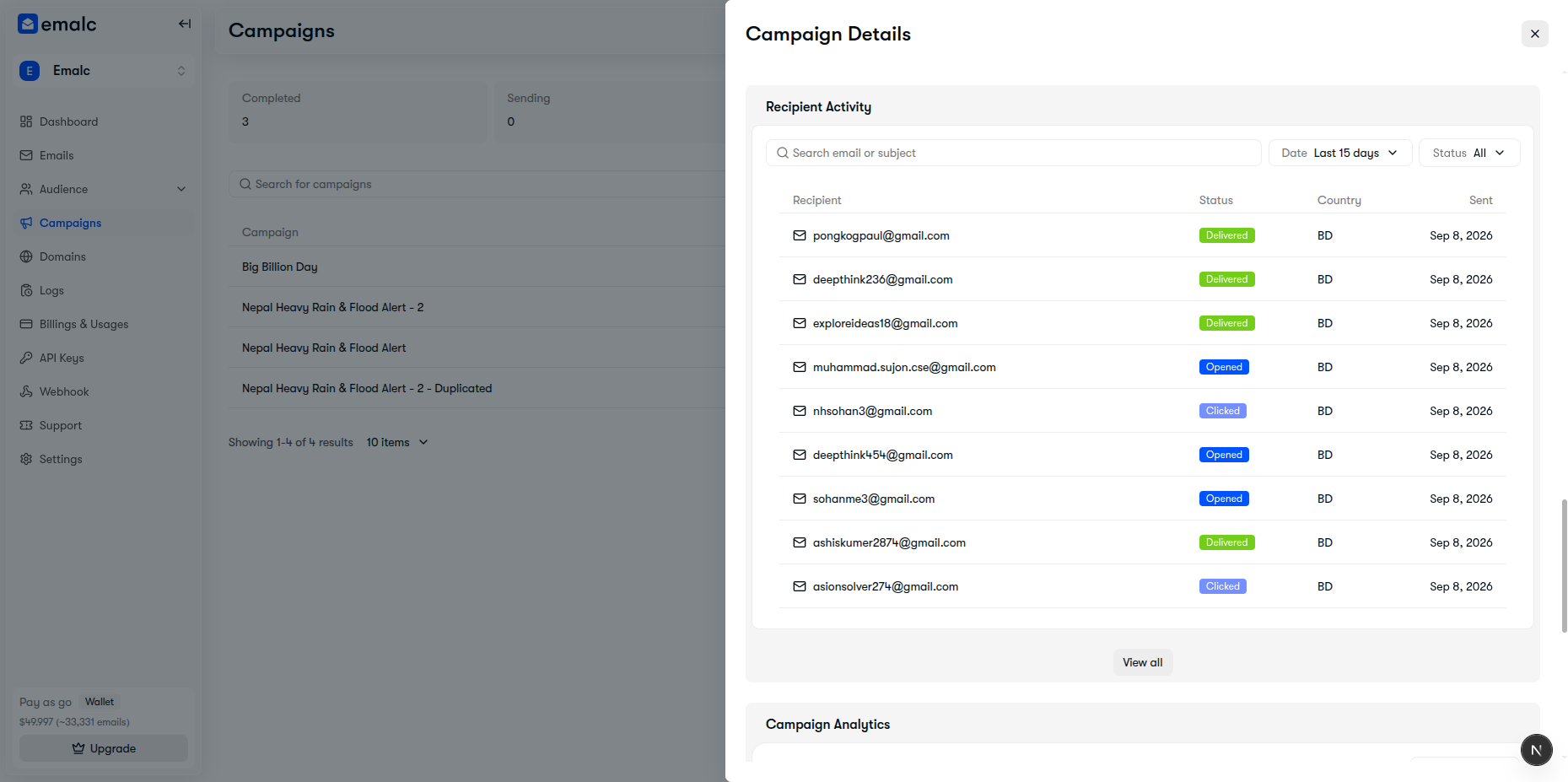 Recipient Activity log table showing individual recipient emails, delivery and interaction status badges, and country
Features:#
- Search & Filter: Search by email address or filter by status (
Delivered,Opened,Clicked,Bounced). - Geographic Country Codes: Identify subscriber locations based on engagement requests.
- Event Timestamps: Inspect exact delivery and interaction timestamps for auditing.